



For most growing businesses, a cloud ERP system is the better fit because it reduces infrastructure ownership and makes remote access and expansion easier. On-premise ERP can still be the stronger choice when you need unusually tight infrastructure control, have substantial existing IT resources, or depend on specialised legacy systems that are difficult to migrate.
Key takeaways
Cloud ERP generally suits growing companies that want predictable subscriptions, easier access across locations and less responsibility for maintaining physical infrastructure.
On-premise ERP remains relevant when an organisation requires extensive infrastructure control or depends heavily on specialised legacy environments.
The better choice depends on total cost, integration requirements, data governance, internal IT capability and how much operational change your organisation can absorb.
ERP decisions increasingly involve more than choosing software features. Your hosting model affects cost, IT responsibilities, security management, upgrades, integrations and the way employees access business information.
Malaysia is also moving towards broader cloud adoption. The Ministry of Digital launched the National Cloud Computing Policy on 13 August 2025, covering government, businesses and the wider digital ecosystem. The policy includes private sector cloud adoption as well as data protection, privacy, security and data sovereignty considerations.
The national direction towards cloud does not make cloud ERP automatically suitable for every organisation. Your existing systems and operational requirements still matter.
Trinergy Digital, a software and creative technology company in Kuala Lumpur, recommends approaching ERP selection as an operating model decision rather than simply comparing software feature lists.
Which is better and for whom?
A cloud ERP system is generally the stronger option for growing businesses, distributed teams and organisations without large internal infrastructure teams, while on-premise ERP can make more sense for businesses that need direct control over infrastructure or have complex legacy dependencies.
The important distinction is ownership. With cloud ERP, the vendor or hosting provider manages much of the underlying infrastructure. Your organisation accesses the system through the internet and typically pays recurring software fees.
On-premise ERP is installed on infrastructure controlled by your organisation. Your IT team or technology partner takes greater responsibility for servers, operating environments, backups, maintenance and related technical work.
Here is a practical way to think about the decision:
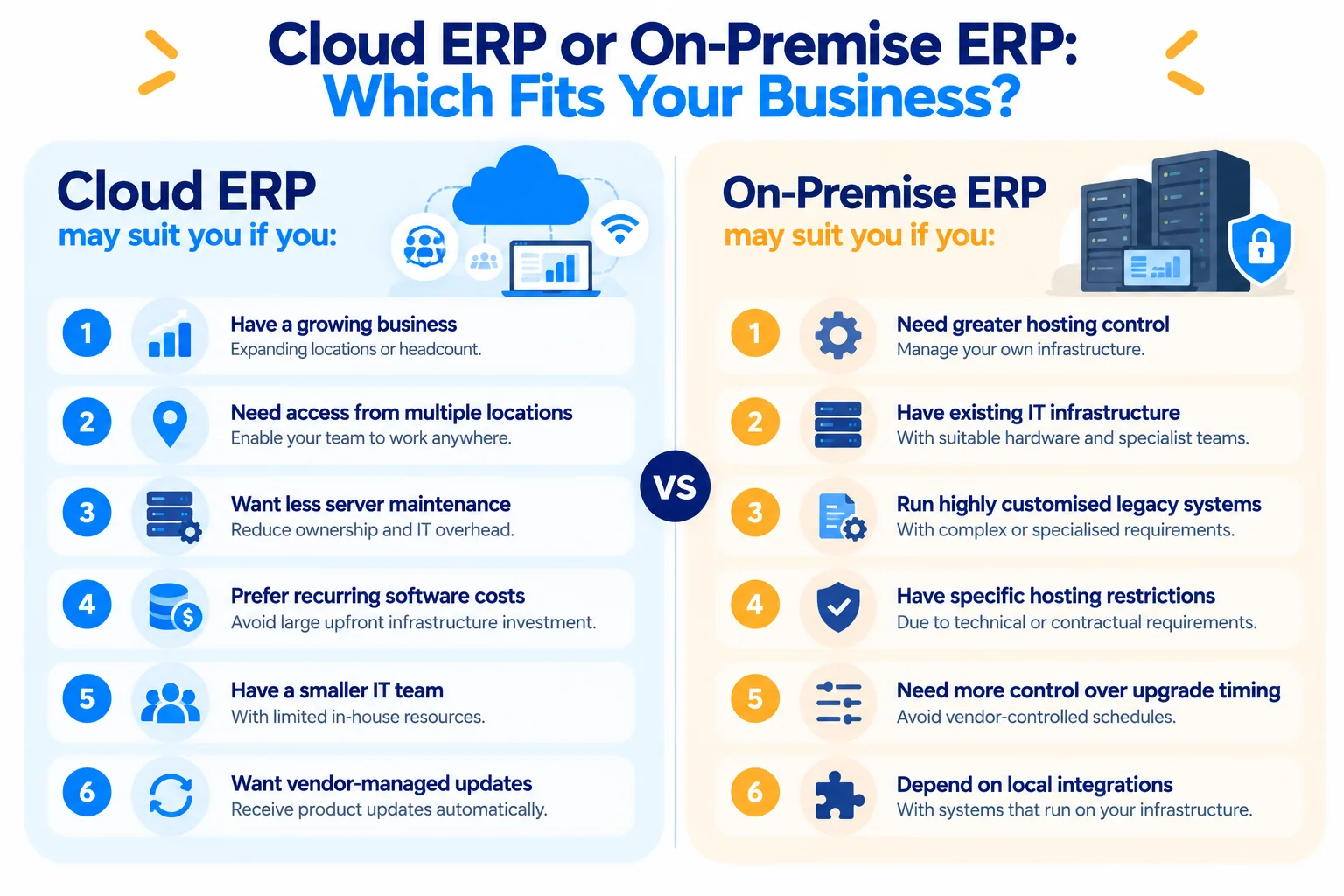
Cloud ERP usually has the advantage when you:
are expanding locations or headcount
need employees to access ERP from different locations
want to reduce server ownership and maintenance
prefer recurring software expenditure over substantial infrastructure investment
have a small internal IT team
want vendor managed product updates
On-premise ERP may have the advantage when you:
need direct control over the hosting environment
already operate suitable infrastructure and specialist IT teams
have highly customised legacy applications
face specific technical or contractual restrictions around where systems operate
cannot tolerate certain vendor-controlled upgrade schedules
have integrations that depend on local infrastructure
Neither architecture solves poor processes or poor data. A cloud ERP migration can fail just as easily as an on-premise implementation if requirements, data preparation, integrations and employee adoption are neglected.
Cloud vs on-premise ERP comparison
The main cloud vs on-premise ERP difference is where responsibility sits. Cloud ERP transfers more infrastructure responsibility to a provider, while on-premise ERP keeps more of that responsibility within your organisation.
Factor | Cloud ERP | On-premise ERP | Main drawback |
|---|---|---|---|
Initial infrastructure | Usually lower because you do not need to build the full server environment | Usually higher because servers and related infrastructure may be required | Cloud creates recurring fees while on-premise requires more initial capital |
Software model | Commonly an ERP SaaS subscription | Licence and maintenance structures vary by vendor | Subscription costs continue while the service is used |
Access | Designed for internet-based access | Access depends on your network architecture | Cloud depends heavily on reliable connectivity |
Maintenance | Provider manages much of the platform infrastructure | Internal IT team or partner manages infrastructure | On-premise creates a larger internal maintenance burden |
Updates | Commonly delivered on a vendor schedule | Organisation may have greater control over timing | Cloud customers can have less control over update timing |
Scaling | Capacity and users can often be added without buying physical servers | Additional capacity may require infrastructure work | Cloud costs can rise as users and services increase |
Customisation | Configuration and supported extensions vary by platform | Greater infrastructure control may support specialised environments | Heavy customisation can make either model expensive |
Deployment | Infrastructure provisioning can be faster | Hardware and environment preparation may add time | ERP migration and process redesign still take significant work |
Data control | Data resides within the provider architecture and agreed regions | Organisation controls its own environment | Both models still require governance, access control and security management |
Internal IT requirement | Generally lower for infrastructure administration | Generally higher | Cloud does not remove the need for ERP administration and governance |
The table also highlights an important point for buyers: cloud ERP does not mean outsourcing every technology responsibility.
Your business remains responsible for matters such as user permissions, process design, employee access, data quality and vendor governance. Depending on your role and processing activities, Malaysian privacy requirements can also affect how personal information within an ERP is managed.
Where does a cloud ERP system win?
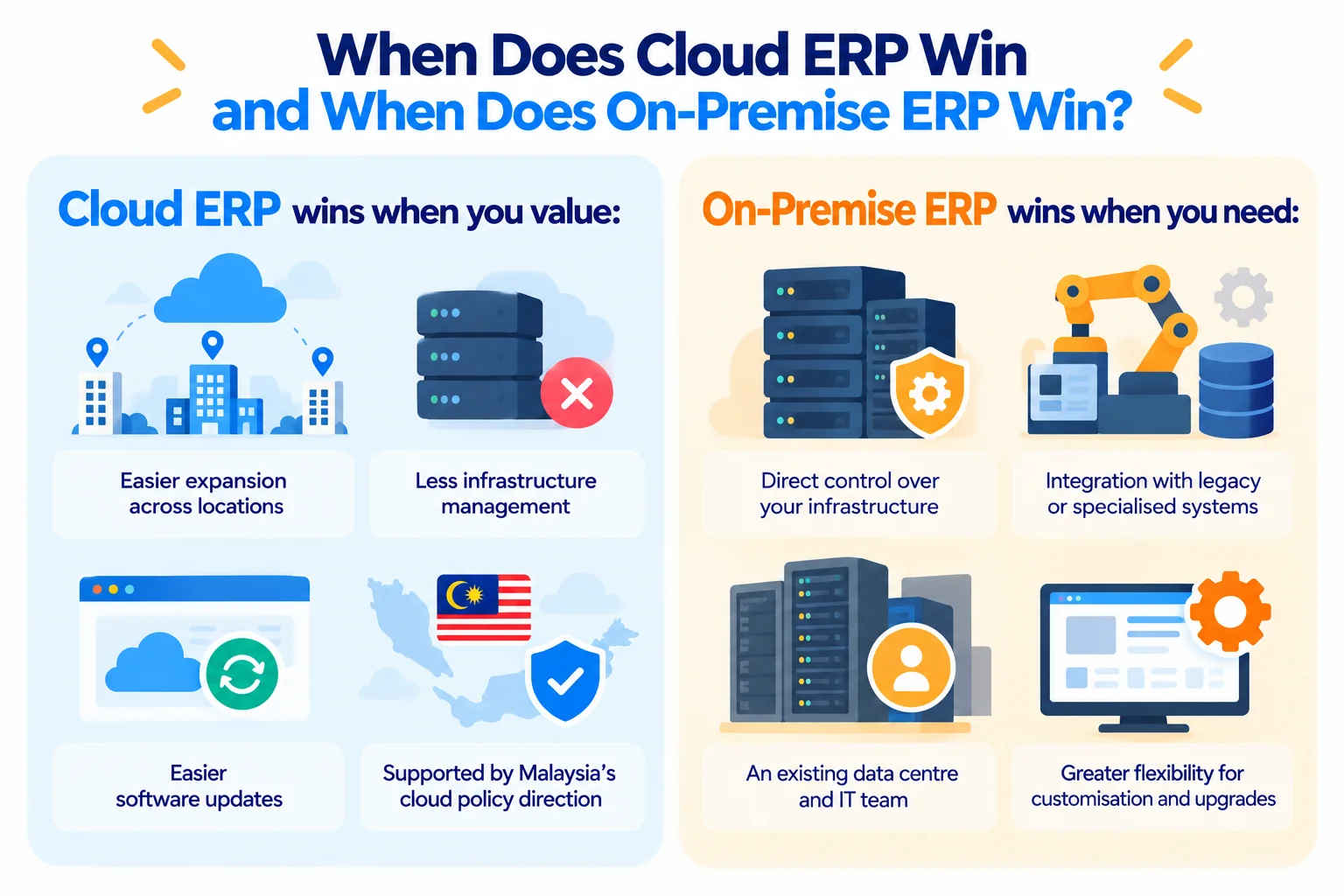
Cloud ERP wins when flexibility, distributed access, reduced infrastructure management and easier capacity expansion matter more than direct control over the underlying environment.
Growing companies can add capacity more easily
A business opening another branch does not necessarily need to deploy another physical ERP server at that location. Employees can access the central cloud platform according to the organisation's identity and access policies.
That distinction becomes more valuable as operations spread across Kuala Lumpur, Penang, Johor or other locations. Finance, purchasing, inventory and management teams can work within the same system rather than maintaining separate installations.
Cloud reduces infrastructure ownership
With an ERP SaaS model, much of the infrastructure sits with the provider. Your organisation does not have to purchase and refresh the entire server stack that runs the application.
The saving is not simply the purchase price of a server. Physical infrastructure can also involve backup systems, monitoring, operating system maintenance, security work, electricity, space and staff time.
Cloud ERP shifts part of that responsibility into recurring service costs.
Updates can become easier to manage
Many cloud ERP products deliver software updates through the vendor's platform. Your team therefore spends less time maintaining the underlying application environment.
That benefit comes with a trade-off. Your business may have less freedom to remain indefinitely on an old software version. Custom extensions also need to remain compatible with the vendor's supported environment.
Malaysia is establishing a clearer cloud policy direction
Malaysia's National Cloud Computing Policy was launched in August 2025 with five pillars, including private sector growth and secure data protection and privacy. The Ministry of Digital states that the policy aims to strengthen cloud adoption across government, industry and the public while addressing security and governance.
That policy direction supports cloud adoption, but businesses still need to conduct their own technical, regulatory and supplier assessments.
The Personal Data Protection Act 2010 is particularly relevant when ERP records contain employee, customer or other personal information. Malaysia's Personal Data Protection Commissioner states that certain organisations must appoint a Data Protection Officer when specified processing thresholds or monitoring conditions apply.
Cloud therefore changes where your ERP runs. It does not remove your organisation's data governance responsibilities.
Where does on-premise ERP win?
On-premise ERP wins when direct infrastructure control, specialised technical requirements and deep dependencies on local systems outweigh the convenience of cloud delivery.
Consider a Malaysian manufacturer that operates production machinery connected to older local applications. Replacing the ERP could require integrations with production databases, warehouse equipment and applications that were never designed for cloud connectivity.
Moving the ERP alone may create more complexity rather than less.
On-premise architecture can also be appropriate when an organisation already owns suitable data centre infrastructure and employs the specialists required to operate it. In that situation, moving to a subscription model purely to avoid infrastructure management may provide less value.
Direct control is another consideration. On-premise environments allow organisations to make more decisions about infrastructure architecture, maintenance schedules and certain system changes.
However, greater control creates greater responsibility.
Your organisation needs people capable of maintaining the environment, applying security updates, managing backups, monitoring performance and planning disaster recovery. Infrastructure also needs to be refreshed as it ages.
For some organisations, those responsibilities are intentional. For others, they are an expensive distraction from the business functions the ERP is supposed to support.
How do cloud and on-premise ERP costs compare?
Cloud ERP generally lowers initial infrastructure expenditure but introduces recurring subscription costs, while on-premise ERP can require greater upfront spending and ongoing internal maintenance. A meaningful comparison should therefore cover several years rather than the purchase price alone.
There is no credible universal RM price for an ERP implementation. Costs depend on the product, number of users, modules, integrations, customisation, migration complexity, training and implementation partner.
Public vendor pricing can still provide a useful signal. Microsoft's Malaysian Business Central pricing page, for example, currently lists Business Central Essentials at USD80 per user per month when paid yearly, excluding tax. Premium is listed at USD110 per user per month. Actual Malaysian project costs can include implementation, integration, migration and other services beyond licences.
A worked RM comparison
Consider a hypothetical Malaysian distributor comparing two ERP proposals over three years. These figures are an illustrative calculation, not Trinergy Digital pricing or market averages.
Cloud proposal
Implementation and migration: RM90,000
Subscription for 30 users: RM400 per user per month
Additional support and integration allowance: RM24,000 per year
Three-year calculation:
RM90,000 + (30 × RM400 × 36 months) + (RM24,000 × 3)
= RM594,000
On-premise proposal
Implementation and migration: RM110,000
Software licences: RM180,000
Server and backup infrastructure: RM90,000
Annual maintenance and infrastructure support: RM55,000
Three-year calculation:
RM110,000 + RM180,000 + RM90,000 + (RM55,000 × 3)
= RM545,000
In this deliberately simplified scenario, on-premise costs RM49,000 less over three years.
Does that make on-premise the better choice? Not necessarily.
If the on-premise option requires an employee to spend 30 hours each month administering infrastructure at an internal cost of RM80 per hour, another RM86,400 appears over three years:
30 hours × RM80 × 36 months = RM86,400
The adjusted on-premise cost becomes RM631,400.
The exercise shows why supplier comparisons should include internal effort, not merely quotations.
When requesting proposals, ask every supplier to separate:
software licences or subscriptions
implementation
ERP migration
data cleansing
integrations
custom development
employee training
support
infrastructure
future upgrade costs
A cheaper licence can become the more expensive system when migration and integration requirements are included.
Can a five-question test help you choose?
Yes. Five-question test can quickly show whether your organisation naturally fits a cloud or on-premise model, although a detailed requirements assessment should follow before procurement.
1. Do you want to own and maintain ERP infrastructure?
If the answer is no, cloud has an immediate advantage.
If your IT strategy deliberately includes owning and controlling infrastructure, on-premise remains viable.
2. How dependent are you on legacy systems?
List every system that exchanges information with your ERP, including finance, payroll, CRM, warehouse, ecommerce and production applications.
If several integrations depend on local databases or older software, investigate them before committing to an ERP migration.
3. Where do your employees need access?
Cloud ERP becomes attractive when people regularly work across offices, warehouses, retail locations or remotely.
If ERP access takes place primarily within one tightly controlled facility, remote accessibility may carry less weight.
4. What does five-year ownership cost?
Request comparable supplier estimates and calculate licences, implementation, migration, integrations, infrastructure, support and internal IT effort across the same period.
Do not compare a cloud subscription against an on-premise licence in isolation. They represent different cost structures.
5. What are your non-negotiable security and governance requirements?
Document where data can be stored, who may access it, what audit records you require, how backups work and what happens when the supplier relationship ends.
For Malaysian organisations handling personal data, include PDPA requirements in this assessment. Cloud and on-premise systems both require appropriate governance.
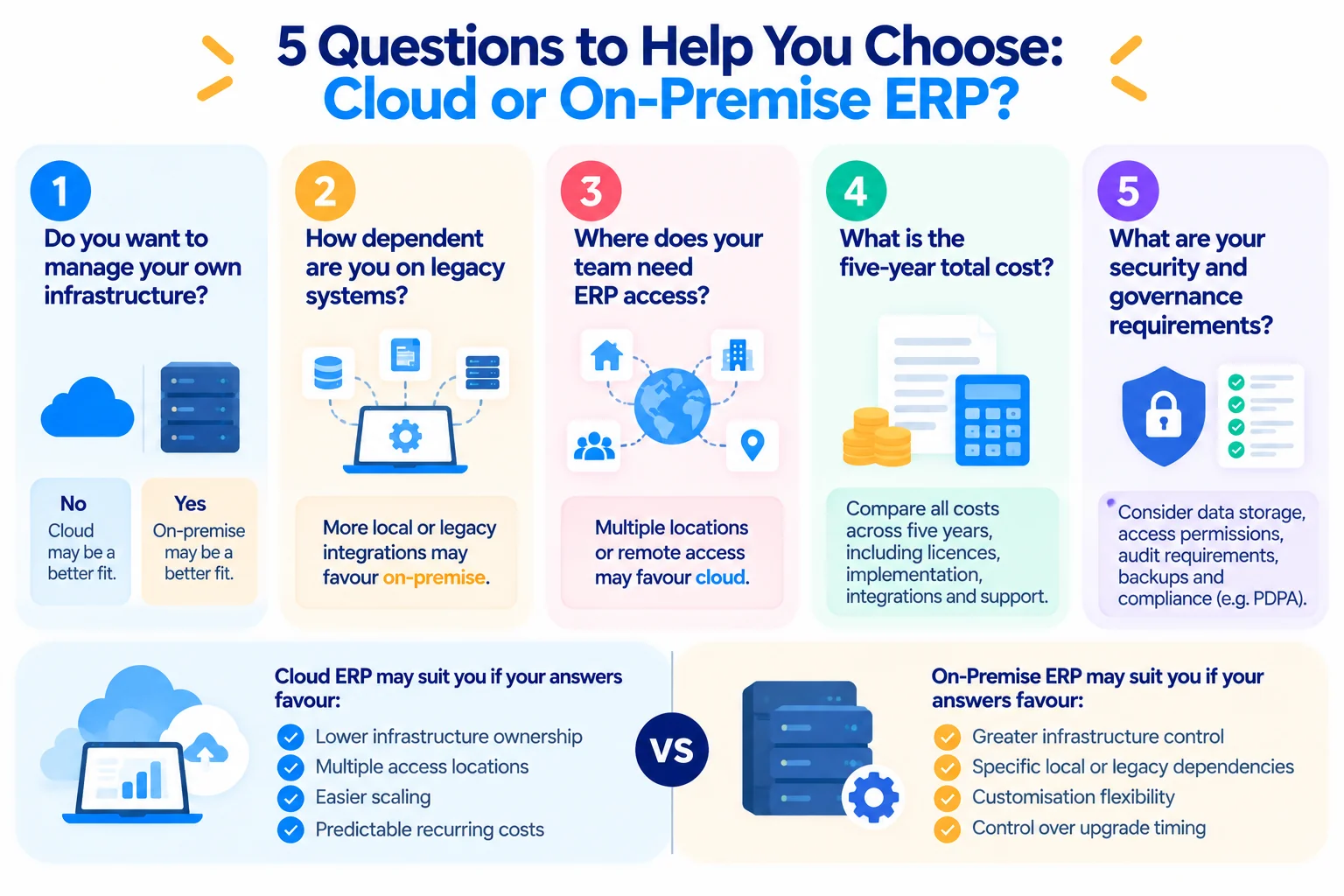
If your answers favour low infrastructure ownership, multiple access locations and easier scaling, cloud ERP deserves serious consideration. If they favour infrastructure control and specialised local dependencies, on-premise may fit better.
Choosing your next ERP system
Choose your ERP architecture only after you understand your processes, integrations, data and five-year cost. The hosting model should support your operating requirements rather than dictate them.
Start with requirements before requesting final quotations. Map what your finance, sales, procurement, inventory, operations and management teams need the ERP to do.
Trinergy Digital, a software and creative technology company in Kuala Lumpur, develops digital solutions including bespoke business systems and integrations. You can also review Trinergy Digital's digital solutions when considering how ERP needs to connect with your wider technology environment.
When you speak to ERP suppliers, ask for an itemised proposal rather than a single project total. You should be able to see the cost of licences, implementation, migration, integrations, customisation, support and ongoing services separately.
That level of detail gives you a realistic basis for comparing suppliers and identifying costs that may otherwise appear later.
If you are assessing a cloud ERP system, planning an ERP migration or determining how a new ERP should integrate with existing applications, contact Trinergy Digital to discuss your requirements and next steps.